



Download XoftSpySE – Free Spyware & Malware Removal Tool for Windows
Looking for a reliable, lightweight tool to detect and remove spyware, malware, trackware, and keyloggers? XoftSpySE is a trusted, free security software designed specifically for Windows users who want to keep their systems clean and secure. Developed by ParetoLogic Inc., this tool has been a go-to choice for millions of users worldwide since its launch in 2006.
With over 32,500 downloads and a solid reputation in countries like India, Egypt, and the United States, XoftSpySE continues to prove its value as a lightweight yet powerful spyware detection utility. Though the latest version, 4.29, was released in 2006, the software remains functional on older Windows systems like Windows 98 and earlier. It's ideal for users seeking a no-frills, secure, and fast way to scan for malicious threats without the bloat of modern antivirus suites.
Lightweight & Effective: Why XoftSpySE Stands Out
One of the most compelling reasons to consider XoftSpySE is its minimal system footprint. Unlike modern security tools that consume significant RAM and CPU resources, XoftSpySE is a lean, efficient program that takes up less space than the average software in the security category. This makes it an excellent choice for older computers running Windows 98, ME, or early versions of Windows XP.
Despite its age, the tool remains effective at identifying a wide range of malicious threats, including spyware, malware, trackware, and keyloggers—common culprits behind identity theft and data breaches. The software operates with a simple, intuitive interface, allowing even non-technical users to initiate scans and remove detected threats with ease. Its core strength lies in its focused purpose: scanning for and eliminating spyware without the distractions of unnecessary features.
While it doesn’t offer real-time protection (a limitation of its design), it excels in on-demand deep scans, making it a valuable addition to a multi-layered security strategy. For users who prioritize speed, simplicity, and security on legacy systems, XoftSpySE delivers exactly what it promises—no more, no less. The fact that it’s completely free and has been trusted by users for nearly two decades speaks volumes about its reliability and effectiveness.
Whether you're managing an older workstation, a retro gaming rig, or a system where modern antivirus software fails to run, XoftSpySE is a secure, dependable option that’s worth downloading today.
Easy Installation & Usage: A Step-by-Step Guide
Getting started with XoftSpySE is straightforward, especially for users familiar with older Windows environments. First, download the installer from a trusted source—ensure you’re using a secure connection to avoid malware injection. The file is small, typically under 5MB, which means quick downloads even on slow internet connections.
Once downloaded, simply double-click the installer and follow the on-screen prompts. The setup process is minimal, requiring no complex configurations or lengthy registration steps. After installation, launch the application from your Start menu or desktop shortcut.
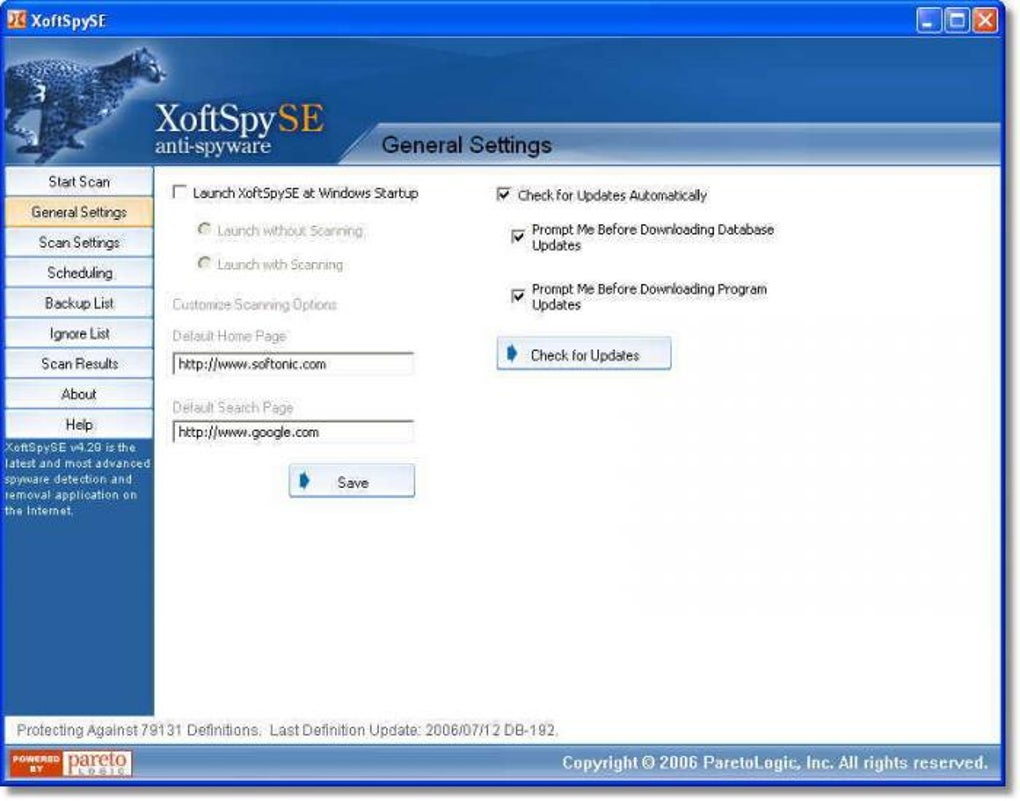
Upon first launch, you’ll be greeted with a clean, text-based interface that may feel outdated but is highly functional. To begin a scan, click on the “Scan” button and choose your scan type—quick scan for faster results or full system scan for comprehensive coverage. The software will then search your system for known spyware signatures using its built-in database.
If threats are detected, XoftSpySE will list them with detailed descriptions, allowing you to decide whether to quarantine or remove each item. The removal process is safe and reversible, ensuring you don’t accidentally delete critical system files. For added security, always run the scan in safe mode if you suspect deep-rooted infections.
After the scan, the tool provides a summary report, which you can save or print for future reference. Regular use—once a month or after downloading suspicious files—is recommended to maintain a clean system. With its simple workflow and low resource usage, XoftSpySE is perfect for users who want a no-nonsense, secure tool that just works.
Compatibility & System Requirements
Designed with legacy systems in mind, XoftSpySE supports a wide range of older Windows operating systems, including Windows 98, Windows ME, and early versions of Windows XP. This makes it a rare gem for users still relying on outdated hardware or software environments where modern antivirus tools fail to install or run. While it’s not compatible with Windows 10, 11, or newer systems, its niche appeal remains strong for those managing older machines.
The software is available exclusively in English and does not require an internet connection to perform scans, although updates to its threat database are recommended for optimal performance. Since the last update was in 2006, users should be aware that the malware signature database is static and may not detect newer threats. However, for older malware variants and persistent spyware that still lurk in legacy systems, XoftSpySE remains effective.
It’s important to note that the program does not offer real-time protection, so it should be used in conjunction with other security measures, such as firewalls or manual file checks. For users with multiple devices, it’s worth noting that XoftSpySE is not available for Mac, Android, or iOS—its focus is solely on Windows. Despite its age, the software is still considered secure, with no known vulnerabilities reported.
For those seeking a free, lightweight, and compatible tool for older Windows systems, XoftSpySE is a reliable choice that continues to deliver value in the right context.
Pros & Cons: A Balanced Look at XoftSpySE
- Pros:
- Lightweight and fast, ideal for older systems
- Completely free to download and use
- Simple, user-friendly interface
- Effective at detecting spyware, keyloggers, and trackware
- Small file size and minimal system resource usage
- Proven track record with over 32,000 downloads
- Cons:
- No real-time protection
- Outdated malware database (last updated in 2006)
- Not compatible with Windows 10/11 or modern OS
- No support for Mac, Android, or iOS
- Interface feels outdated and lacks modern design
Frequently Asked Questions (FAQ)
Is XoftSpySE safe to download and use?
Yes, XoftSpySE is considered safe to download and use, especially from trusted sources. The software has been around since 2006 and has not been associated with malware or security breaches. As long as you download it from a reputable website and avoid third-party mirrors, it poses no risk to your system.
Can I use XoftSpySE on Windows 10 or Windows 11?
No, XoftSpySE is not compatible with Windows 10 or Windows 11. It only supports older operating systems like Windows 98, ME, and early versions of Windows XP. For modern systems, consider using updated antivirus tools like Bitdefender, Kaspersky, or Windows Defender.
Does XoftSpySE offer real-time protection?
No, XoftSpySE does not provide real-time protection. It operates as a one-time scanner that detects threats during scheduled or manual scans. For continuous protection, you’ll need to combine it with other security tools.
How often should I run a scan with XoftSpySE?
It’s recommended to run a full system scan at least once a month. If you’ve downloaded files from untrusted sources or noticed unusual system behavior, perform a scan immediately. Regular checks help maintain a clean and secure environment.
Is XoftSpySE available for Mac or mobile devices?
No, XoftSpySE is exclusively available for Windows. It does not support Mac, Android, or iOS devices. Users on these platforms should explore alternative security software tailored to their operating system.
Final Verdict: Is XoftSpySE Worth Downloading?
While XoftSpySE may not be suitable for every user, it remains a valuable tool for those managing legacy Windows systems. Its lightweight design, free access, and proven effectiveness in detecting spyware and malware make it a solid choice for older hardware where modern security software fails. Though it lacks real-time protection and hasn’t been updated in nearly two decades, its core functionality remains intact for its intended use case.
If you're running Windows 98, ME, or early XP and need a reliable, no-cost way to scan for malicious threats, XoftSpySE is definitely worth downloading. It’s a secure, efficient, and trusted solution that continues to serve its niche audience well. For users with modern systems, it’s not the best fit—but for retro computing enthusiasts, small businesses with older machines, or anyone needing a simple spyware scanner, XoftSpySE delivers real value.
Don’t miss the chance to secure your older system with this free, lightweight tool. Download XoftSpySE today and take control of your system’s security.







